System Architecture and Runtime Pipeline

MicroWorld already contains the core stages needed for a complete multimodal simulation workflow: ingestion, graph construction, simulation preparation, topology-aware runtime, and report output.

Runtime Cockpit Repository-Backed

Runtime pipeline overview

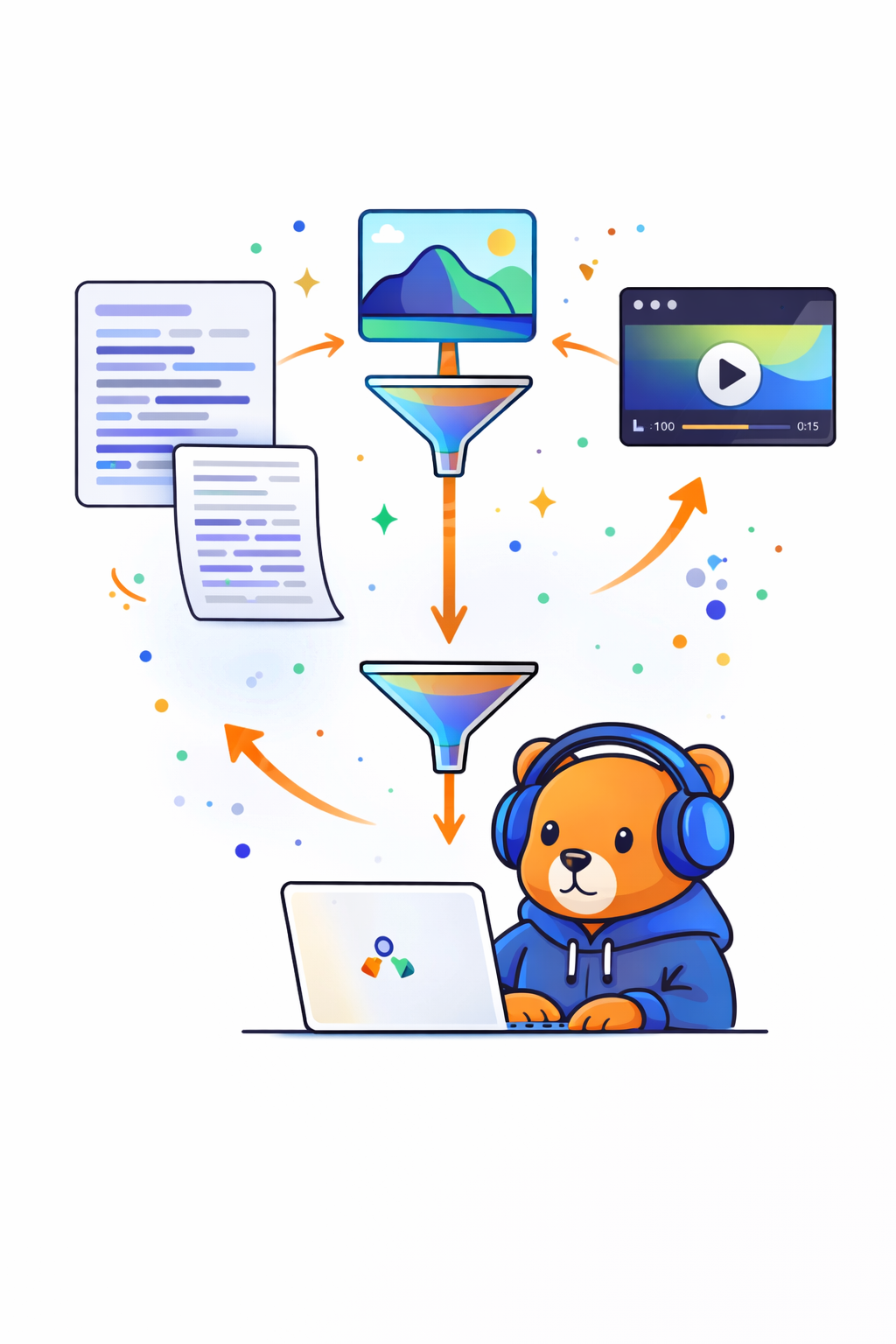
MicroWorld turns multimodal inputs into graph-aware runtime artifacts, schedules simulation through topology-aware units, and keeps the resulting traces and reports inspectable.
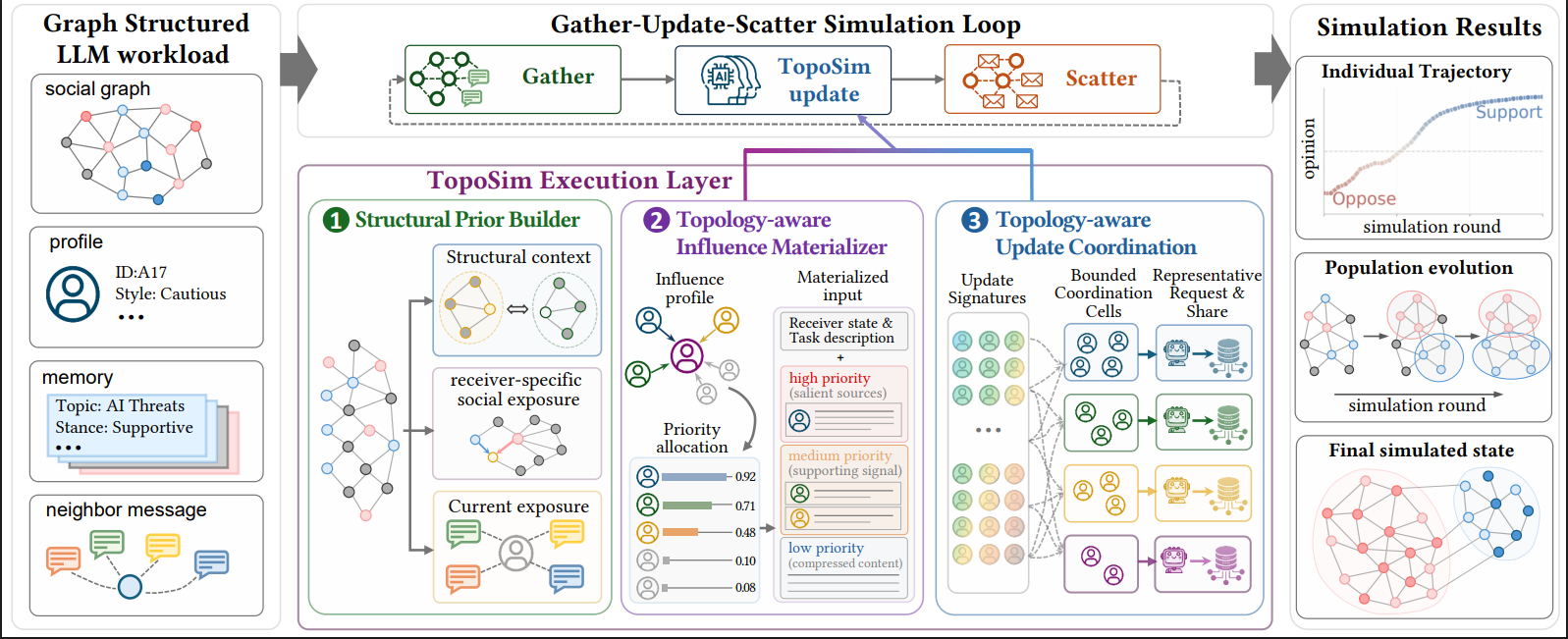
TopoSim method figure showing coordinated LLM updates and emergent role differentiation

Paper method figure: topology-aware updates, role differentiation, and coordinated state transitions.

Text / image / video Graph construction Unit scheduling Report artifacts
Input layer document, image, video, graph signal
Preparation layer ontology, graph IDs, prompts, relation graph
Runtime layer topology-driven units with lightweight memory
Output layer summaries, traces, topology evidence, reports
Multi-modal event ingestion
Multi-modal Event Ingestion

Handles text, image, and video inputs in one unified workflow.

Two topology clustering modes
Two Topology Clustering Modes

Supports both threshold-based and LLM-keyword-driven clustering.

PPR-guided directional influence
PPR-guided Directional Influence

Models activation and information flow with topology-aware influence.

Lightweight memory
Lightweight Memory

Preserves useful state incrementally without full-history replay.

Inspectable outputs
Inspectable Outputs

Keeps graph artifacts, traces, configs, and reports available for inspection.

Main pipeline

The repository exposes a single workflow from ingestion to simulation outputs.

01

Multi-modal ingestion

Parse documents, images, and videos into structured event context.

event pages · media frames · raw descriptions
02

Ontology and graph

Generate entity types, edge types, graph chunks, and graph IDs.

schema build · relation typing · graph identity
03

Simulation preparation

Build entity prompts, platform profiles, social relation graph, and config.

prompt packaging · platform profiles · runtime config
04

Runtime and report

Run platform simulation, collect artifacts, and generate reports.

action traces · memory writes · summary output

Input parsing, graph build, simulation preparation, runtime traces, and reports are connected in one project path and can be inspected as one workflow.

What makes the runtime distinctive

Multi-modal first

Images and videos are not treated as optional decoration. They are part of the event package that feeds the simulation pipeline.

SimpleMem-style memory

Memory is stored incrementally and retrieved selectively, which is more scalable than replaying the full conversation history.

Topology-aware unit scheduling

The runtime works on representative units and neighborhoods to reduce unnecessary activation cost.

Directional influence

The runtime estimates influence direction instead of assuming balanced pairwise effects, so the outputs can explain who tends to lead and who tends to follow.

Design Reading

Design rationale

The runtime stays compact by activating representative units, writing memory selectively, and modeling directional influence explicitly. That keeps costs down without giving up interpretability.

Efficiency avoid activating every agent in every round
Interpretability make directed effects visible in a readable way
Practicality surface artifacts that can be inspected outside the runtime

Project diagrams

Each diagram focuses on a different layer of the project so the architecture page can stay readable while still covering the full system.

System Overview Big Picture

From raw event material to inspectable simulation evidence

This diagram summarizes the end-to-end path exposed by the current repository.

Inputs Text, image, video, source pages

Example inputs and user event material.

parse
Ingestion Normalize multi-modal context

Extract text, fields, manifests, and media references.

compile
Graph Build Ontology, entities, relations

Compile graph-aware context and stable graph IDs.

prepare
Simulation Profiles, topology, platform runtime

Build profiles and run topology-aware platform interactions.

inspect
Artifacts Memory traces, logs, reports

Expose summaries, action traces, topology evidence, and reports.

Codebase Layers

How the repository modules line up

Entry cli / api

Commands and HTTP routes that trigger the system.

Orchestration application

End-to-end services that stitch the pipeline together.

Core Engines ingestion · graph · simulation · reporting

The main modules that parse material, build graph context, run interactions, and summarize results.

Support storage · config · infrastructure · telemetry

Persistence, runtime configuration, model access, retries, and logging.

Full-Run Sequence

What one end-to-end run actually does

01
Load config and files

`microworld-full-run` resolves input files and runtime options.

02
Build project context

Ingestion generates extracted text, content manifests, and project state.

03
Compile graph artifacts

Ontology, entities, graph snapshots, and relation signals are created.

04
Prepare simulation runtime

Profiles, prompts, social graph, topology units, and simulation config are emitted.

05
Run platforms and collect evidence

Platform actions, memory writes, and optional report outputs are recorded for inspection.

Project Views Website and Runtime

Two ways to explore the project

Website Project pages

Overview, architecture diagrams, user guide, and example pages.

index.html architecture.html examples.html
run locally
Runtime Python workflow

Commands for ingestion, graph building, simulation, and report generation.

microworld-api microworld-local-pipeline microworld-full-run

Main commands

Backend entry points

uv run microworld-api uv run microworld-local-pipeline --config /abs/path/to/local_pipeline.json uv run microworld-parallel-sim --config /abs/path/to/simulation_config.json uv run microworld-full-run --config /abs/path/to/full_run.config.json

Project website

Use the website to understand the workflow, browse examples, and read the architecture and guide pages.

  • Project overview
  • Architecture diagrams
  • Example pages

Local runtime

Use the Python commands to run ingestion, simulation, and report generation on your own machine.

Visible outputs from the current system

The architecture is easier to trust when the repository can point to concrete intermediate artifacts.

Inspectability Traceable Outputs

What the project outputs

MicroWorld produces both the final analysis report and the intermediate files that show how the simulation was built and run.

entity prompts relation graph simulation config experiment summary

entity_prompts.json

Semantic prompt outputs and keyword-oriented entity descriptions.

social_relation_graph.json

Explicit agent-agent relation graph compiled for simulation runtime.

topology snapshots

Unit structure and influence traces that help explain how discussion clusters form and shift.

experiment_summary.json

Readable summary of the end-to-end public example run.